About this game
Play Sync Watch Party together
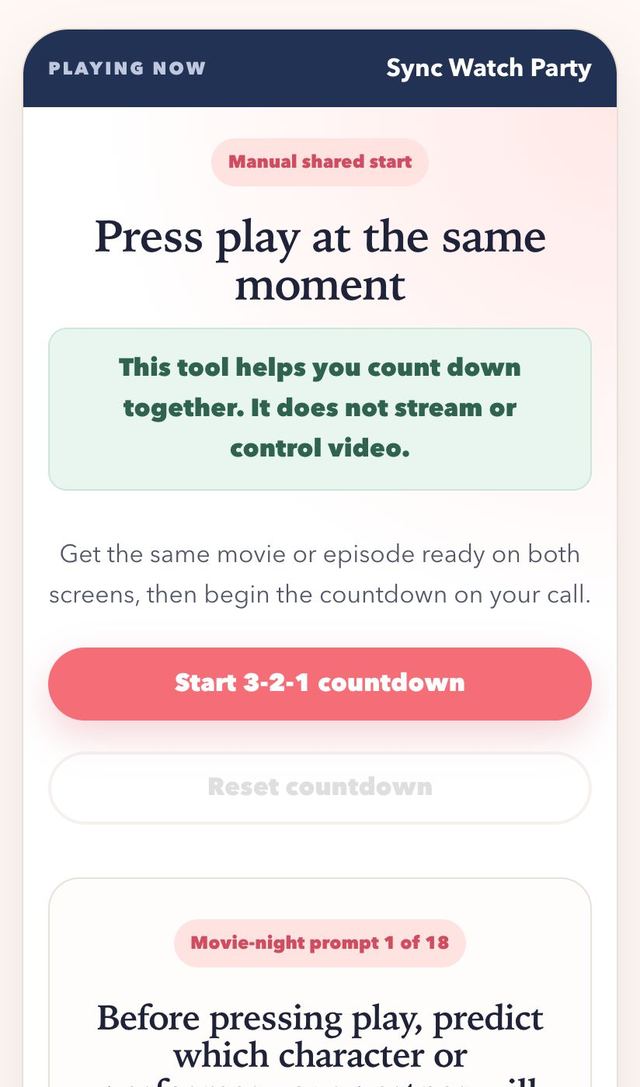
Sync Watch Party helps two people press play at nearly the same moment while they are already connected by voice or video. Put the same legally available movie, episode, concert, or other program at the same starting point on both devices. One partner shares the countdown, both press play on the final cue, and either person can pause for a quick resync if needed. This page does not stream, embed, synchronize, or control video, and it cannot access either person's media service. The 18 conversation cards give your remote movie night a warm beginning and an easy post-watch discussion.
How to play Sync Watch Party
- 01
Each partner opens the same legally available program on their own service and pauses at the same visible starting frame.
- 02
Stay connected on a call, lower any distracting call audio, and let one partner operate the manual countdown.
- 03
Press play when the page displays Play; if the programs drift, pause both screens and run the countdown again.
- 04
Use a movie-night card before the start, during an agreed break, or after the credits, then reset the timer for another round.
Why couples like it
- A single visible launch cue is clearer than talking over one another while both people try to count.
- Simple restart controls make an accidental pause or buffering delay easy to recover from.
- Conversation cards turn passive watching into a shared date with opinions, predictions, and personal stories.
All 18 movie-night conversation cards
- 01
Before pressing play, predict which character or performer your partner will enjoy most and explain why.
- 02
Choose one snack that matches tonight's program and give it a dramatic menu name.
- 03
Describe the kind of ending you hope for without guessing a specific plot event.
- 04
Name one setting from a past movie or show where you would gladly spend a weekend together.
- 05
At the first agreed break, compare the tiny background detail each of you noticed.
- 06
Choose one character decision so far and explain what you would have done differently.
- 07
Invent a harmless alternate title based only on the first fifteen minutes.
- 08
Share which scene would be hardest to explain to someone who had not watched the beginning.
- 09
Pick one costume, room, vehicle, or object from the screen that deserves its own story.
- 10
Make one prediction for the next act and decide when you will check whether it came true.
- 11
After a funny moment, rate how likely it is to become an inside joke between you.
- 12
Choose the line delivery or visual moment that has created the strongest mood so far.
- 13
Imagine adding yourselves as background characters and describe what each of you would be doing.
- 14
Name one part of the soundtrack or sound design that changed how a scene felt.
- 15
After the ending, share the moment that surprised you most without debating whose answer is better.
- 16
Choose one unanswered question you would ask the writer or director.
- 17
Decide whether this program fits a rewatch, a recommendation, or a one-time experience and give one reason.
- 18
Plan the next remote watch by choosing a completely different mood from tonight's program.
Watch party variations
- Theme night: pick a genre or decade for each week and take turns choosing the program.
- Predict and review: before pressing play, each of you writes a prediction, then compare after the credits.
- Snack swap: order or cook a dish inspired by the program and show it on camera at the start.
- Double feature: watch a short episode first, then a longer one, and reset the countdown between them.
How to sync a watch party across time zones
Start with the clock, not the movie. Choose a start time and write it down in both local times, for example “8:00 p.m. for you, 2:00 a.m. for me.” Put it on a shared calendar invite, because calendar apps convert the time zone for each person automatically. This removes the most common source of confusion.
Be careful around daylight saving changes. Countries switch clocks on different dates, and some places do not change at all, so the time gap between two cities can shift by an hour for a week or two each year. Check the gap again whenever one of you has just changed clocks, and confirm the start time the day before.
Getting both screens to start together
Open the same program in each person's own legal source and pause on the same visible frame. Stay on a call, mute or lower the call volume once playback starts to avoid echo, and use the 3-2-1 timer so one voice leads. If streaming speeds differ, pause both screens and run the countdown again rather than trying to catch up.
Agree on the house rules before the opening credits. Decide whether talking is welcome during scenes, how you will pause for a break, and who is in charge of the countdown if the call drops. Use the conversation cards before the start, during an agreed pause, or after the ending to keep the evening feeling like a shared date.
Make the next round better
- This tool does not stream or control video; each person must open and operate their own legal media source.
- Choose subtitles or volume levels before the countdown so setup does not interrupt the opening scene.
- Agree whether conversation is welcome during the program or should wait for a planned break.
Sync Watch Party FAQ
Does Sync Watch Party play or synchronize the video?
No. It only displays a manual 3-2-1-Play cue. Each partner opens, plays, pauses, and controls their own legally available video.
What should we do if one screen falls behind?
Pause both screens at an agreed frame, reset the countdown, and start again. The page cannot detect or correct playback drift automatically.
Can the prompts be used without watching a movie?
Yes. Many cards also work with an episode, recorded performance, documentary, or other program that both partners can legally access.