About this game
Play Countdown Together together
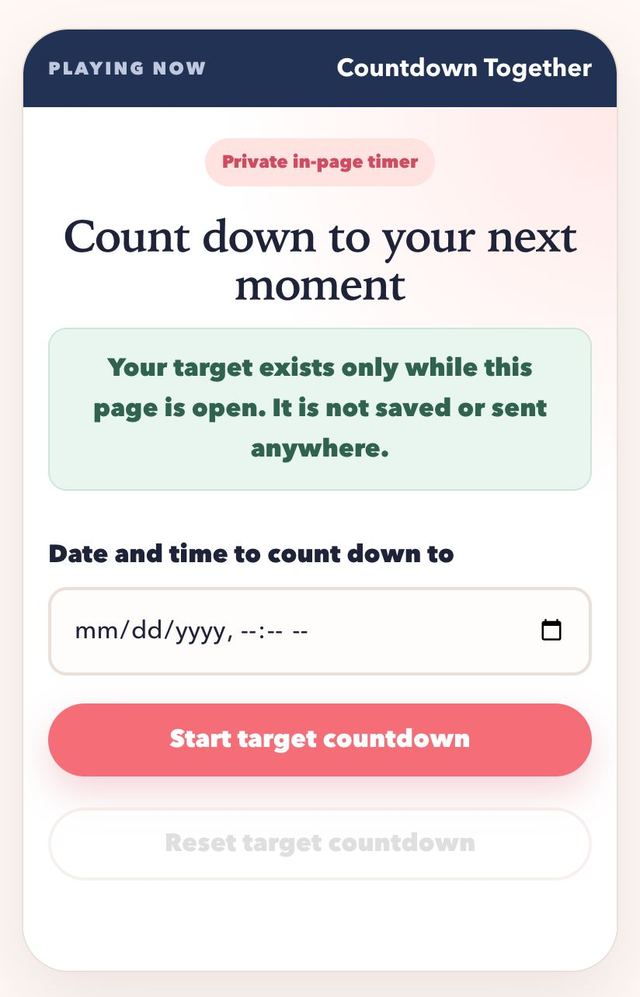
Countdown Together turns a future date into a simple, visible measure of days, hours, minutes, and seconds. It can mark your next visit, the start of a planned call, an anniversary dinner, or any other moment that matters to both of you. Enter a future date and time, start the timer, and keep the page open if you want to watch it change. The target exists only while this page is open: it is not saved to an account, browser storage, database, or remote service. Closing or refreshing the page clears it, which keeps the tool intentionally lightweight and private.
How to play Countdown Together
- 01
Agree on the event and confirm the intended date, local time, and time zone with your partner.
- 02
Enter a future date and time in the field, then start the target countdown.
- 03
Read the remaining days, hours, minutes, and seconds, keeping the page open if you want the timer to continue.
- 04
Use reset when plans change or after the moment arrives; refreshing or closing the page also removes the target.
Why couples like it
- A visible timer makes a distant plan feel concrete without requiring an account or installation.
- The same page can be reused for visits, calls, celebrations, and small shared rituals.
- Ephemeral state avoids leaving a personal date stored after the page closes.
Ways to use a shared countdown
- Visit countdown: set the target to the moment you will see each other and share a screenshot at milestones.
- Call countdown: use it to start a weekly video date at the same moment on both sides.
- Anniversary build-up: restart it each day with a smaller target, such as the next dinner or the next message.
- Surprise reveal: set a target for a planned gift or message and tell your partner only to look at the timer.
Setting the right target time
A countdown is only as good as its target. Before you enter a date, agree on the exact moment, such as the minute a train arrives or a call begins, and confirm the time zone for the place where the event happens. The timer uses the local clock on the device that opens the page, so each person should enter the target in their own local time. If both of you set the same real moment, the two timers should show the same time remaining, which is an easy way to check.
If travel is involved, plan for buffers. An arrival time is a good target, but a departure or boarding time may be more practical, because it is the moment you stop being apart on your own side of the journey. Choose the one that matches the feeling you want to count toward.
Making waiting part of the relationship
Counting down can turn waiting into something you do together. Pick a small ritual for each milestone, such as sending a photo when the days reach double digits, trading one memory at ten days, or planning one specific activity for the first morning together. These habits make the time between visits feel active instead of empty.
Remember that this page does not save the target. When you close or refresh it, the timer clears, so keep the date in a calendar too. Reset it whenever plans change, and treat the countdown as a shared focus point, not a promise that nothing will move. A flexible plan that both of you feel good about beats a rigid one.
Make the next round better
- Double-check time zones together because the field uses the local time shown on the device opening the page.
- The target remains only while this page is open, so keep the date in your normal calendar if you need a lasting reminder.
- Reset and enter a new target when travel or call plans change rather than relying on an outdated timer.
Countdown Together FAQ
Will my couple countdown still be here tomorrow?
Only if this same page remains open. The target is not stored, so refreshing, closing, or reopening the page clears the countdown.
Which time zone does the countdown use?
The date-and-time field follows the local settings of the device where it is entered. Confirm the equivalent time in your partner's location separately.
Does this countdown send a reminder?
No. It is a live in-page display only. Use a trusted calendar or alarm if you need a notification after leaving the page.